This post may contain affiliate links
In this episode I sit down with Certified Canva expert Brenda Cadman, to talk about the benefits (and potential pitfalls) of using Canva, a DIY graphic design tool as a solopreneur.
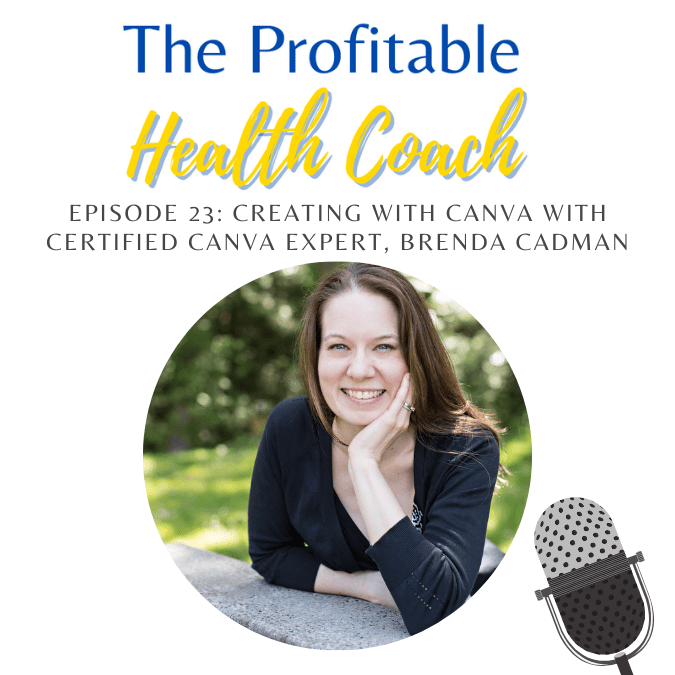
Creating in Canva with a Certified Canva Expert
Meet Brenda
As an entrepreneur for more than 22 years, Brenda understands the importance of consistency in building a brand. As a Canva Certified expert, she’s taught thousands of small business owners about using Canva more effectively and efficiently.
In particular, she loves to help business owners tame their hot mess Canva accounts by creating an organizational system that ensures they can spend less time in Canva, and more time doing what they love. (Find out more about her course Clean up My Canva by clicking here – affiliate link)
Listen to the Episode
Podcast: Play in new window | Download
With over 20 years of experience in creating branded marketing assets for her clients (and herself!) Brenda knows the ins and outs of using Canva, how to use it most effectively, and what to avoid when using it for your business.
At the time of this podcast, she is one of only 25 verified global Canva Experts worldwide, and owner of Bon Accord Creative, a WordPress development company based in Prince Edward Island, Canada.
[UPDATE: Brenda has since closed her website design company as of 2022]
Connect with Brenda
- BrendaCadman.com
- Facebook.com/groups/howtousecanva
- Instagram.com/brendacadman
- YouTube.com/c/brendacadman
If you’re only using Canva to create social media graphics, you’re missing out! Grab Brenda’s free guide and find out the 10 ways to start using Canva in your business!
Click here to get your free guide – 10 Ways to Use Canva in Your Business
Want to Learn More about Using Canva?
Episode Transcript
Welcome, everyone. I am here with Brenda Cadman.
Brenda is unique. She is one of only 25 verified global Canva experts worldwide. She’s been an entrepreneur for more than 22 years, and Brenda definitely understands the importance of consistency in building a brand.
As a Canva expert, she’s taught thousands of small business owners about using Canva more effectively and efficiently. And in particular, she loves to help business owners tame their hot mess Canva accounts by creating an organizational system that ensures that they can spend less time in Canva and more time doing what they love. Welcome, Brenda.
Thanks for having me. Brenda, like we were discussing, Canva is such an amazing tool, and I’m glad you’re here because we all need, it’s a great DIY tool, but let’s be honest, we need some guidance, okay?
You are unique in that you are one of 25 in the world who are qualified to help me with my Canva situation. Well, to be fair, there are lots of very qualified Canva folks out there who don’t have that particular designation.
I do want to be completely clear about that. But that said, yes, I am one of, at this time, I’m sure it will change in the future. I’m one of 25 verified global Canva experts for now anyways.
So I do think I am probably in a position to help you with some of the challenges that you might be having in Canva, and that a lot of folks probably are having in Canva. Fair point. I’m sure there are people who could help me, but that credential is meaning a lot to me right now because people like to throw titles around, and some kind of credential helps to build a little trust here on my side, so I know I’m talking to an expert.
What I would like to do is start with your origin story. What brought you to the point where you became this credentialed Canva expert, and just kind of like your whole journey here? Well, it’s been over 22 years. We don’t have that much time.
Give us the reader’s digest version if you’re old enough to know what that means. 100%. When I started, it is interesting though because starting a business over 22 years ago is very different than starting it now.
This was before social media was a thing, and it was a very, very different experience trying to learn the ropes of building a business. But my business for the most part throughout that entire time, while it’s changed a little bit here and there, I’ve run a website development company for most of that time.
Things change over the years, and at some point the digital marketing agency that I co-owned with my business partner, we decided it was just time to do something different.
I decided to go out on my own, still working on website development. That was in 2013, and I brought with me from the agency one of our team members, and she ended up doing all of my graphic design for the most part. But then she decided she was going to take a full-time job, and what is somebody to do in 2014 when suddenly their graphic designer is unavailable and you need to create graphics in the meantime while you’re looking to hire another one.
You start dabbling with this new program you’ve heard of called Canva that hasn’t been out for very long. The plan was always going to be that this was a bit of a band-aid solution while I waited to find my next graphic designer, but the more I used it, the more I realized that I actually really liked doing this. I am not a graphic designer.
I am not a brand designer. I still invested in having a brand designer create my core visual branding and all that stuff, but I really liked the flexibility of being able to create social media graphics on the fly without having to rely on somebody else to be able to do that. After a period of time, when you start really using a program, you get comfortable with it, and then people start asking you questions about how to use it.
I found myself in a community where a lot of people were asking me questions about it, and then they started asking me if I had a course around it. Until that point, no, I did not, but that was kind of that moment that I realized, there’s something here. I think you need to stop and listen to what people are asking for, because I had it in my mind that I was going to create something very different.
I was going to create a website-related course, but the people wanted help using Canva, so that was 2019, and I really haven’t looked back. I love that that you had in your mind, I’m going to create this thing. Meanwhile, people are banging down the door saying, help us with this thing, please, we need help.
I feel like that’s kind of like 2016, I think, is when I discovered using Canva. The mid-20s is blogging kind of exploded, people started DIYing websites, and they’re like, all these things that used to be off limits because they were too techy or too, they seemed like things you should be hiring for became accessible with these tools, and so people were blogging, and they were learning how to do their websites, and now we need graphics, great, how do we do that?
So this tool is on the scene, you become kind of the go-to person for that, much to your, I don’t want to say dismay, much to your surprise, this was not the- Surprise. Yeah, this was not the proof you had to have.
Sure, and it’s definitely like turning into something that is really profitable and sustainable for you, because Canva has only grown and exploded.
Initially, I just thought I was going to provide them a little bit of training, a little bit of hand-holding, I still wasn’t thinking I was going to change the direction of my business, and I didn’t change it overnight, it’s been a gradual process to slowly move away from website development to this instead.
but I firmly believe that if I had not been participating in that community and getting all these questions and really realizing how much I liked educating about using this platform, I don’t know that I’d be in this position now, I don’t think my path would have taken me to this point, so I’m really grateful for that experience because it helped me to discover something that I probably enjoy more than what I had done for 20 years up to that point.
So I love that, it happened, and you went along with it, and then here we are, so isn’t that funny? Serendipitous.
Exactly, that’s a great way to describe this path. So for anybody who may not know what it is, and I can’t imagine there’s anybody here who does that, but let’s just back up a tiny bit, and what is Canva, how would you describe it? I would describe it as an online graphic design tool that was created to empower anybody to be able to create great-looking design even if they are not a graphic designer.
I’m always kind of walking that line carefully because I don’t want people to think it replaces a graphic designer, it doesn’t, but in a lot of the kinds of things that business owners will be creating for their businesses, you need to be able to have a tool like this that will help you create your ebooks and your Instagram posts and all these things.
So essentially it started primarily as a graphic design tool, and it has evolved significantly since its origins, it continues to evolve as you kind of alluded to. It’s almost more of a business communication kind of tool now, it’s got a lot of video capabilities now that they’re building out, and it’ll be interesting to see where that goes.
There’s a real emphasis on creating presentations in it and being able to actually use the tool to present and record presentations as well, so it’s continuing to change, but at its core it started out as this graphic design tool.
So you just touched on something that I want to make sure we’re clear about. Canva does not necessarily replace a graphic designer, so Canva is great as a DIY tool to help you create designs, it’s actually the actual execution of creating these visual things. A graphic designer has the background in actually creating a visual brand.
Can we talk a little bit about visual branding? Absolutely. You want a professional look and feel. Ultimately it comes down to garbage in, garbage out.
If you don’t have a really solid visual brand to carry into the graphics that you’re creating, it’s never going to have the polish and the professionalism that you’re seeking. It’s going to look amateur, and while it’s a tool that amateur designers can use to create great looking graphics, unless you know how to use the tool to do that, unless you are using visual brand assets to start with that actually look polished, you’re never going to be able to create that finished result that you’re after.
So this is why I really want people to understand the importance of investing in a brand designer when you have the budget to do so.
I know a lot of people don’t in the beginning, and Canva can be a great stopgap. In the meantime, if you do need to whip up a quick logo, but working with a talented brand designer, somebody who understands creating a brand voice and creating a visual brand that appeals to your ideal client and understanding all of those kinds of components that go into determining what your color palette should be, what fonts should you choose. You’re not choosing those just because they’re pretty and you like them.
There’s a reason behind it, and working with a professional to help you extrapolate that to create a beautiful brand kit is going to really set you up for success in Canva, and it’s why it’s so important to use the brand kit in Canva in order to create your consistently branded graphics.
But unless you have a solid brand to kind of carry into the brand kit in the first place, it’s probably not going to be checking off all the boxes that you’re hoping it does. Does that make sense? Absolutely.
So Canva is a tool, but you still need expertise and knowledge, right? I can shop at Home Depot. That doesn’t mean I can build a house. I can buy all the things at Home Depot.
I can get all the equipment. I can hammer some nails together. I still need to have some expertise and please no one build a house without really knowing what you’re doing.
I don’t know if that’s a great equivalence, but that’s what popped in my head about. As my husband says about the dishwasher, it’s not a miracle worker, right? It’s still going to be exactly what you’re putting in. So it’s great.
It’s going to help you, but you still need to know, look and feel, professional, cohesive. Yeah, you want to have those components to be able to carry into it in order to get the best possible result. And to be fair, working in Canva is not quite like doing your own electrical.
So I see sometimes this false narrative of hitting graphic designers against Canva as you have to choose one or the other, and they work beautifully together if you can understand how they fit together.
Because the fact of the matter is that a typical coach is not going to be in a position, even though they can probably at some point invest in having their graphic design done and their branding done, they’re probably not going to be in a position to have a graphic designer on call to create every single graphic need that they have at the moment that they need it. It’s just not realistic.
So you want to be in a position where you have some sort of platform that you can use to create that, but understand when it makes sense to invest in a professional and when it makes sense to take what that professional has created and do it yourself. So we kind of have like a timeline here. So in the beginning, we’re DIY, we can whip up a logo and I saw I was in Canva yesterday, Canva will recommend a color palette in the brand kit.
If you’re not really sure, you can come up with a reasonable brand kit or visual brand in Canva, even if you don’t really know what you’re doing. And it can get you to the point where, yes, let’s hire a professional. Let’s bring in somebody else and really create a cohesive look that really represents our brand, everything that we stand for, our values, our mission.
And then we can take what they’ve created. We can take all of the assets that they’ve provided with us, a color palette, the fonts, everything, put it in Canva, and then we can kind of take it and run. We can kind of manage our own logistics, as I like to say, with the tools and the knowledge that we’ve gotten from the professional at that point.
So there’s a place for Canva along this whole path. It just looks a little bit different at each point. Yep, I think that’s fair to say.
The mistakes that people make when they use Canva. Really, it goes in hand with what we were just talking about is there isn’t a consistent use of a brand kit. What happens when you just when you’re creating designs and you’re just choosing fonts and colors and images because they excite you in the moment, you’re going to quickly create a very cluttered sort of design approach where everything you’re creating is not recognizable as belonging to your brand.
And if you’ve ever been on somebody’s Instagram channel and it just feels overwhelming like a mishmash and it’s three million different design styles, it doesn’t create any sort of recognizable brand that if I see it in my feet, I’m going to recognize it as belonging to a particular business.
So I think that is really probably one of the biggest mistakes that I see is folks are going in and they’re creating designs, but they are not setting up that brand kit first and then sticking within their brand guidelines of those colors, of those fonts. And it can be tempting.
There’s a lot of beautiful, I see all these beautiful script fonts and it’s attractive. It’s fun to play with them. And there’s a time and a place for that.
But in your business brand graphics is not the place for it. So honestly, that brand kit not setting it up and using it is probably the biggest mistake that I see. Now I should highlight that is a pro feature.
I’m sure that was not accidental on Canva’s part. If you do want to be able to use that brand kit, if you want to be able to upload your own custom fonts, you do need to be on a pro plan. But it is still to this day, I think one of the least expensive expenses that a typical business owner will have and it’s well worth the value.
So you just touched on something critical, brand recognition, right? So I’m scrolling through my feed and one of my favorite brands, I don’t even have to look and see who posted it. I know without, I can, I can look at the post. I don’t even, I’m scanning it in half a second.
I recognize the colors, the graphics, the font. I know who posted it. And I can say, oh look, there’s so-and-so, so-and-so posted this.
And then I can look and say, oh yep, I’m right. That’s who it was. I don’t even have to check.
So that brand recognition of you’re stopping the, you’re stopping the scroll because your audience knows your stuff before, without even having to, to, to read who it’s from. They know it’s your post. They know, they recognize it and it’s building trust and trust is, you know, one of those key elements in sales and marketing.
You know, that’s what we’re trying to do here is build this trust and that brand recognition is tied into brand awareness. Yeah. I mean, it seems like such a small thing for some folks.
They’re like, really, if I change up this one font, does it really matter? It’s these cumulative little things that do add up to really matter if you want to build trust with your audience. And if you’re constantly changing it up, it is going to create a lot of confusion and confused folks don’t buy. So it’s really important to, to invest the time in making sure that you are being really consistent with this.
And this is why having that little box, while it can feel like it is maybe stifling creativity for some folks, it really is not only going to ensure that you’re creating a better product in the end. I also think it’s going to make your experience of using Canva less overwhelming because you don’t have all these shiny things to distract you to experiment with.
You have your guidelines, it allows you to get in, create it, and then get it out to your audience so you can get back to the business of doing what you love rather than spending a ton of time playing designer inside of Canva.
I love playing designer inside of Canva, but there are better uses for most people’s time. So it’s almost like Zuckerberg with the hoodie, right? Like you don’t want to have to go in and make choices every time you’re doing something. No, we know our color palette.
We know our fonts. You know, the only thing that you really should, there should be a decision about is what you’re saying, right? What type of graphic you’re making, but the look and feel is not going to change. And like you said, it can feel stifling, but it’s also very freeing because now we’re not making choices.
We’re not having to make decisions in Canva. We’re getting in, we’re making our design, we’re sharing it with our audience, and we’re getting back to doing the actual work that we’re getting paid to do, which is, you know, coaching clients, working with customers and things like that. So, you know, Canva is that great tool, but you have to use it in a way that actually serves you.
Boundaries are good. I’m a huge fan of boundaries, right? So eliminating that decision fatigue, saving time, and creating that brand awareness and brand recognition with your audience by sticking to a color palette and fonts and a look and feel that’s cohesive and consistent with all your content. There is a time and place to experiment.
You can, I mean, I use Canva for personal stuff as well. I think every birthday party invitation I’ve ever, virtual invitation I’ve designed for my daughter’s birthday parties has been on Canva. I can change that up as much as I want every single year.
So there are opportunities to do that. Your business branding is not the place to do that. The other thing I like to really highlight is that it’s not just about being consistent with a brand kit across the graphics you’re creating in Canva.
This needs to be consistent across everything that you are putting out. So your fonts and your imagery and your colors that you’re using on your website had better be reflected in the lead magnets that you’re putting out, in the social media content that you’re putting out.
Everything needs to align because if I get really accustomed to a look and feel on your Instagram feed and then I go over to your website and it looks completely different, that’s going to be jarring and I’m going to wonder if I’m in the right place.
And you’ve lost a little trust there. It might be a little bit, but you know what, it’s cumulative, right? Like you said, it’s all these little touch points that build the trust, but it can also tear it down too. Yep.
A hundred percent. Okay. So benefits of using Canva.
It’s affordable. It’s easy, saves you time, saves you money. You get professional looking graphics for all of your different marketing assets, but pitfalls, you can be overwhelmed, distracted, tempted to, you know, choose this font, this design.
And you could spend a lot of time in there that, and I just don’t want to see anybody spending any more time in Canva than they absolutely need to. It’s my job to be in there all the time playing with all the things so that I can teach people about how to be more efficient, but you should not be spending all of your time in Canva.
And if you are, you either need to find a way to refine your process or at that point, see if there is an assistant that can help you that can do that in Canva.
There are different ways to do this, but ultimately you need to be using it as a tool for productivity in your business, for creating great looking content. It should not become what you’re spending all your time doing. Exactly.
Canva hours are not billable, fam. Unless you’re Brenda, yes, but everybody, all the rest of us, we need to get in, do our stuff and get out. I love that.
So let’s segue a little bit into talking about how you help. How can you help us, Brenda? I mean, ultimately it’s my job to figure out what are all the new things and how to use them specifically in business. I tend to focus a lot on not just how to use it to create effective design, but I really look at it from a very functional, almost dare I say administrative sort of viewpoint of how can we be more efficient about this? What is the best way to approach this?
So that’s why I focus my time on creating resources and little mini courses and little bite sized offerings that people can sit down and watch and hopefully learn something new that will save them some time.
I don’t do done for you services. I’m not a designer, as I kind of mentioned in the beginning, but I can help people learn how to use this more quickly so that they understand how to benefit from this as much as possible without spending all the time diving down the YouTube rabbit hole, trying to figure out how to do things. Have we all gone down that rabbit hole? Like it’s just lying if you say no.
Listen, rabbit hole hours are also not billable. So let’s not do that either. So you have put together a concise step by step process that helps us use Canva most efficiently for the purposes that we need it for and get back to what we do.
Twice a year I offer kind of a soup to nuts walk through high touch six week program where I take you from the beginnings to actually creating all the things that you need to create. But for a lot of folks, they just need to solve a particular pain point right now. If they are brand new to Canva, they want to understand the basics.
So I’m editing a little Canva for Beginners mini course. And then there’s also one that is specific to how to get organized in Canva. And then there’s going to be another one that I’m relaunching about how to set up and use the brand kit.
So they’re bite sized chunks, solve a pain point so you can move on with your day. So it really depends on what needs somebody has. Some folks just need to get organized because their Canva accounts are an absolute hot mess and they cannot find anything in it.
Why am I looking accusatory? I feel so seen right now. Yes. Well, and I mean, you are in very good company.
It is even those who feel mastery of the program are not organized in Canva. I have fellow Canva experts that are taking this course. So it’s just a particular skill set that I have because we didn’t talk about it in that 22 year journey.
I was a professional organizer at one point in it. So organizing systems, creating filing systems, managing paper piles and all of that. I’m doing the Canva digital equivalent of that now.
So, you know, everybody has, it depends if you have a specific pain point, I can probably give you a resource to help you with it. If you are looking for more support, I can help you with that as well. If you’re looking for somebody to do done for you design in Canva, I’m not your girl, but I can probably refer you to somebody.
This is great because you’re, you’re covering everything, right? So you need, you were going to help us organize, you’re going to help us learn. And if we need help, you can point us in the direction of somebody who can just do it for us because we’re overwhelmed. And this whole organization thing, once I get my Canva account under control, I’m heading over to the Google drive.
Cause that’s another, that’s a whole other episode. I need to find a Google drive expert so I can do an episode and get help with that too. Oh, I’ve got one for you.
Please. I need, I need all the links. So this is great Brenda.
Just to recap, you have a Facebook group, how do you, it’s literally called how to use Canva. Thank you for coming for us. And literally if you go, if you just go to how to use Canva.com, it’ll forward you to the Facebook group.
Perfect. Perfect. So I’m going to put all these links in the show notes here.
So our audience can check out your Facebook group, check out your website. Also connect with you on Instagram and also follow your YouTube channel. You’re going to find me over there.
Cause I’m going to be checking out all your videos because I need, I need so much help with Canva. So all of these links, sorry, I don’t know why I’m yelling. I’m getting excited.
All of these links are going to be in the show notes for the audience to check out your stuff, check out your resources, connect with you. What I’m really excited about is you have a, you have a freebie for our audience, which is 10 ways to use Canva in your business. You know, Canva is more than social media.
It’s more than creating Instagram graphics. There’s a lot of different uses that you could be using it for that I, I would anticipate. There’s at least one item on there you probably haven’t thought of.
Oh, so we’re going to expand our Canva horizons. This is fantastic. And you know what? This is good because if you’re paying for Canva, which I agree is quite affordable.
I also want to get my money’s worth. So if there’s, if there’s something else I can be using it for, let’s, let’s have at it. Let’s get to it.
We’re going to wrap up here. But what I like to do is give the guests the opportunity to give our audience their top three tips. So Brenda, what would you say are the top three tips that you have for our audience about using Canva? My top three tips would be, number one, organization is incredibly important.
So if you have not experimented with creating folders before, I think that’s really important to start creating your own Canva filing cabinet, because it’s going to make your life a lot easier. It’s going to make it a lot faster for you to find what you’re looking for.
And it’s also going to save you time because you’re not going to end up recreating things that you’ve already created in the past, but you couldn’t find because your account is a big stack of designs and no rhyme or reason to it.
Organization is incredibly important. And it’s not the first thing people think of when they think of Canva, but that option is there. So go check out the Your Projects section of your Canva account.
And a new update that has now fully rolled out is that previously you can only create two custom folders on a free plan. You can create unlimited folders now on all Canva plans, which is, it makes my organizational part sing. So you have no excuse now, regardless of the plan you’re on, you need to create your organization system.
So that’s number one. Second tip is set up and use that brand kit consistently. Now this is only a pro feature.
I do think it’s a very, very important reason for upgrading to the paid plan. I do have a 45 day free trial of pro that folks can, maybe I’ll give you, if I haven’t given you that link, I can give you that link as well. So if somebody’s thinking it might be a fit, but they’re not sure and they don’t want to lay the money out to try it, they can try it for 45 days free and see if they actually like it.
But that brand kit is really going, we’ve talked at some length why that’s so important. And I think that is a, if you want to be able to create graphics and marketing assets in Canva that don’t look the IY that look professional, you have to be taking advantage of that brand kit. So that is number two.
And the third one really is, you know, templates are your best friend. You don’t have to design from scratch.
You don’t have to have great graphic design skills because there are so many incredibly talented designers out there that have done the heavy lifting in terms of creating templates that you can start with and then customize using that brand kit.
The key is going to be choosing templates that really align with the look and feel of your brand aesthetic. You’re not going to choose something that looks completely different because even if you change the colors in it, it’s not going to feel in line with your visual branding.
But there are so many of them to choose from, not just in Canva’s own template library, but there’s lots of template shops and template memberships out there where you can find families of designs to work together.
And then once you’ve found those and you’ve customized them, I mean, you’ve saved a ton of time and a ton of frustration. Leave the design part to the professionals. You just have to customize it to fit your own needs.